

Export & import project
Export mengunduh project ke berbagai format. Import JSON memulihkan atau memindahkan project ke Edukazo.
Format per paket
Paket | Project non-E-Book | E-Book |
|---|---|---|
Berbayar | PDF, DOCX, PPTX, ZIP, HTML, TXT, MD, JSON | PDF, DOCX, EPUB, ZIP, HTML, TXT, MD, JSON |
Free | PDF, ZIP, TXT. DOCX dan PPTX tampil tetapi terkunci. | PDF dan EPUB (isi hanya bab 1). DOCX terkunci. |
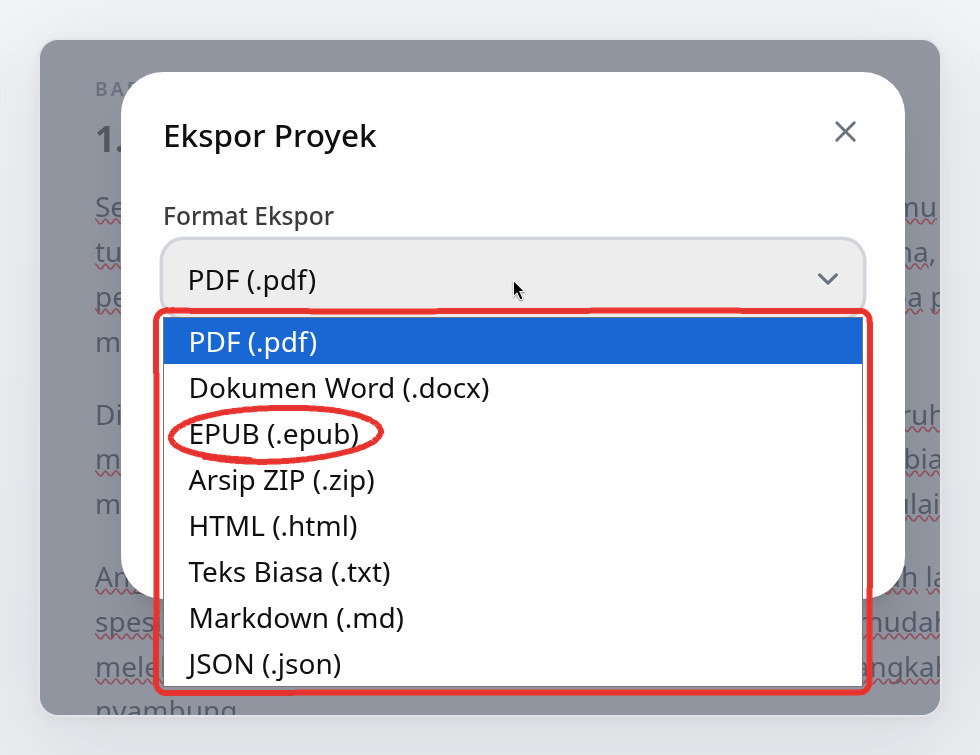
Pada E-Book, pilihan formatnya PDF (.pdf), Dokumen Word (.docx), EPUB (.epub), Arsip ZIP (.zip), HTML (.html), Teks Biasa (.txt), Markdown (.md), dan JSON (.json).
Cara export
Buka project di Curriculum Builder.
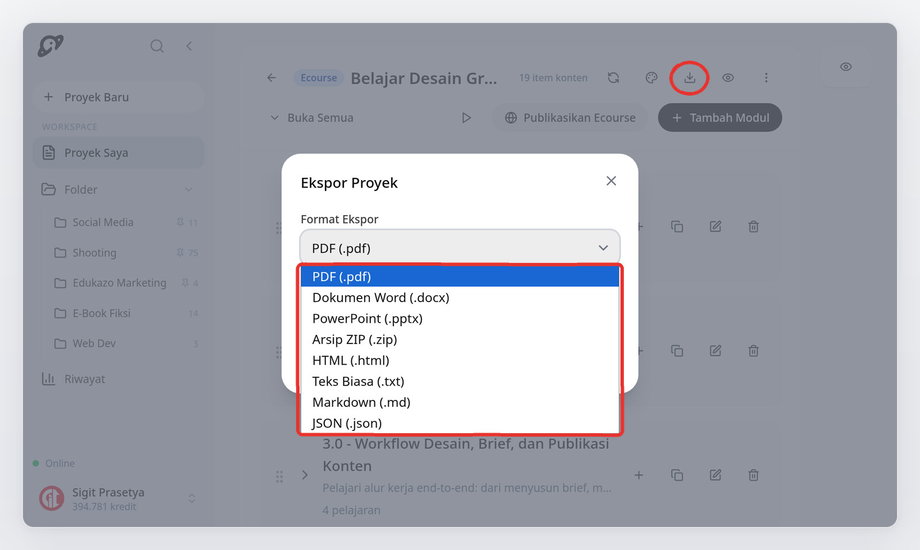
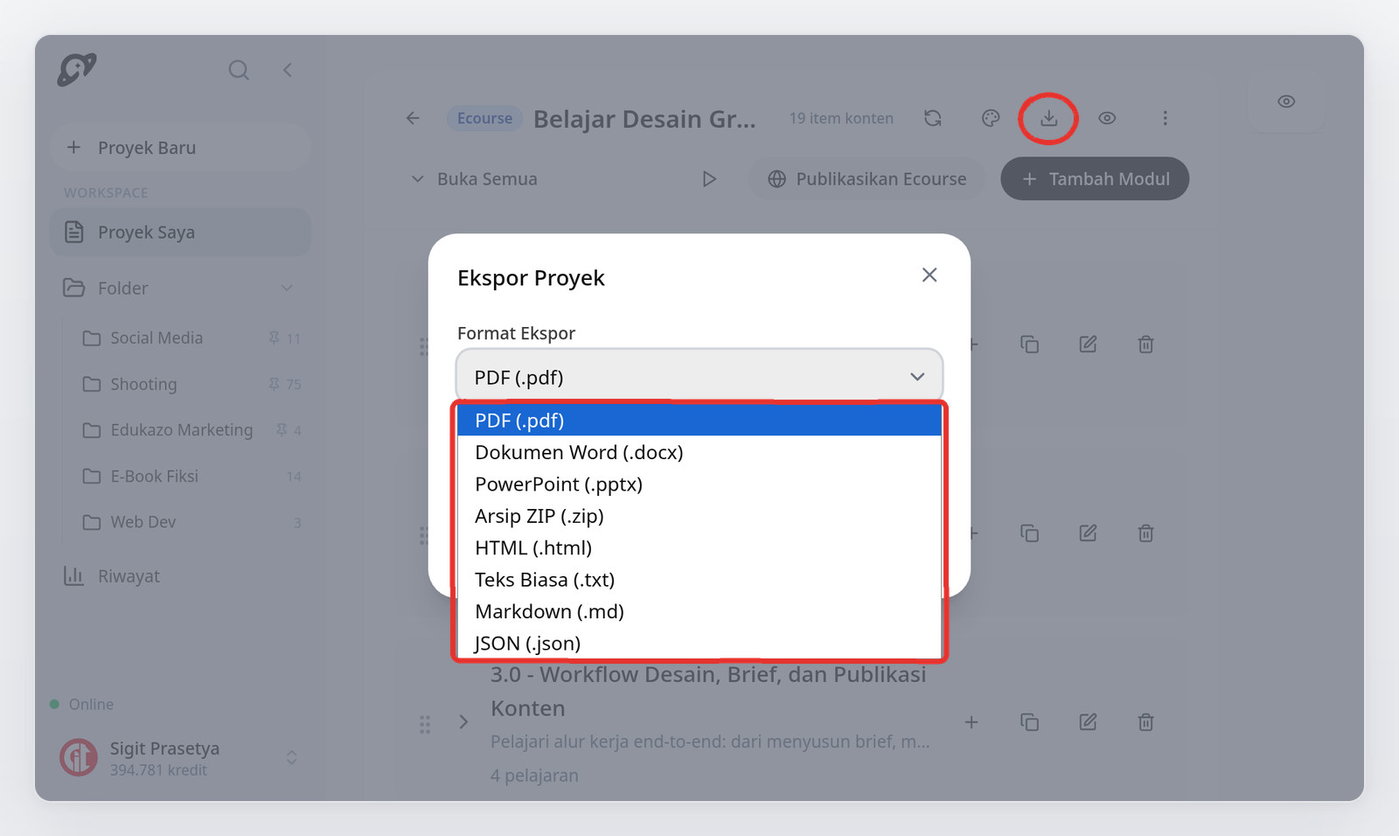
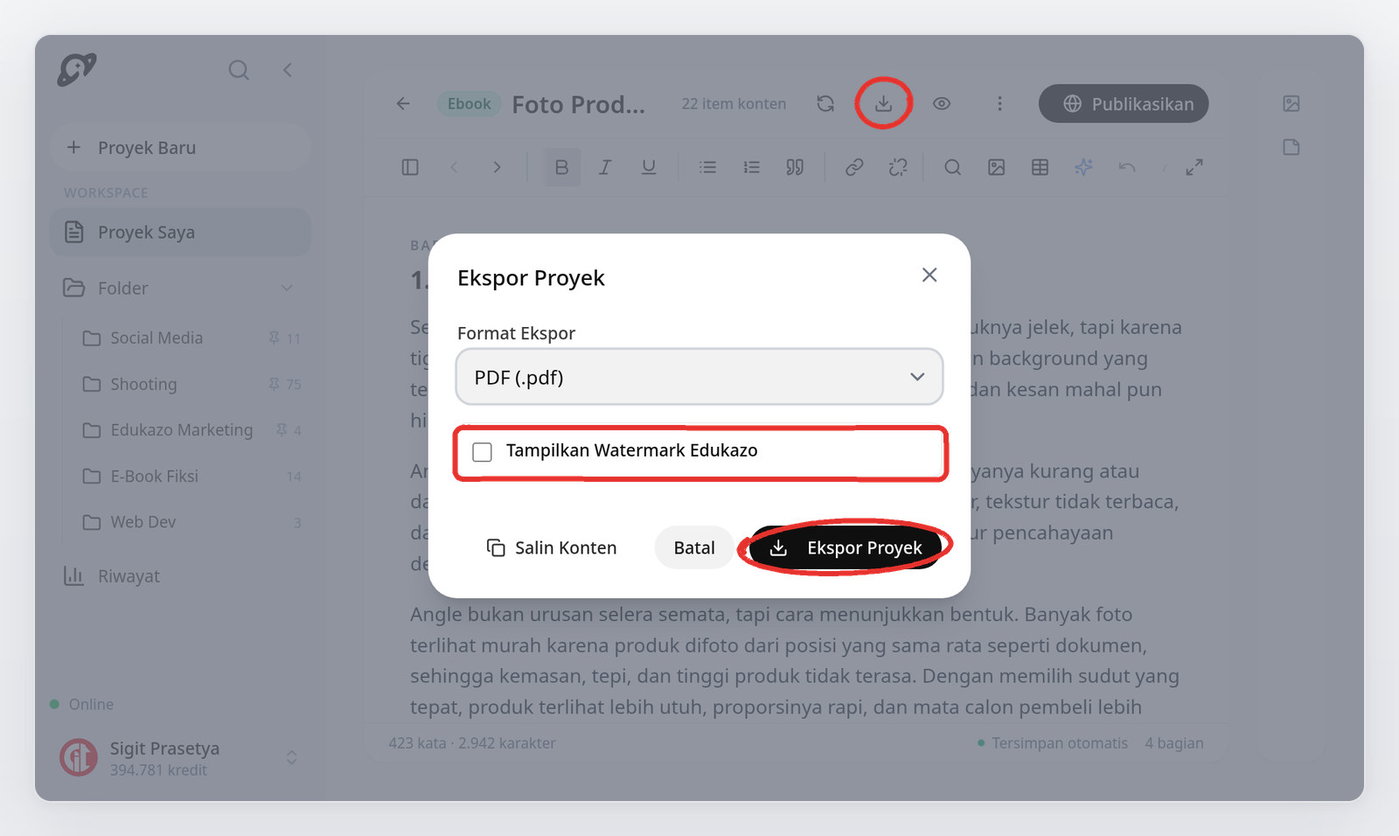
Klik ikon unduh di header. Dialog Ekspor Proyek terbuka.
Pilih format di Format Ekspor, misalnya PDF (.pdf), Dokumen Word (.docx), PowerPoint (.pptx), Arsip ZIP (.zip), HTML (.html), Teks Biasa (.txt), Markdown (.md), atau JSON (.json).
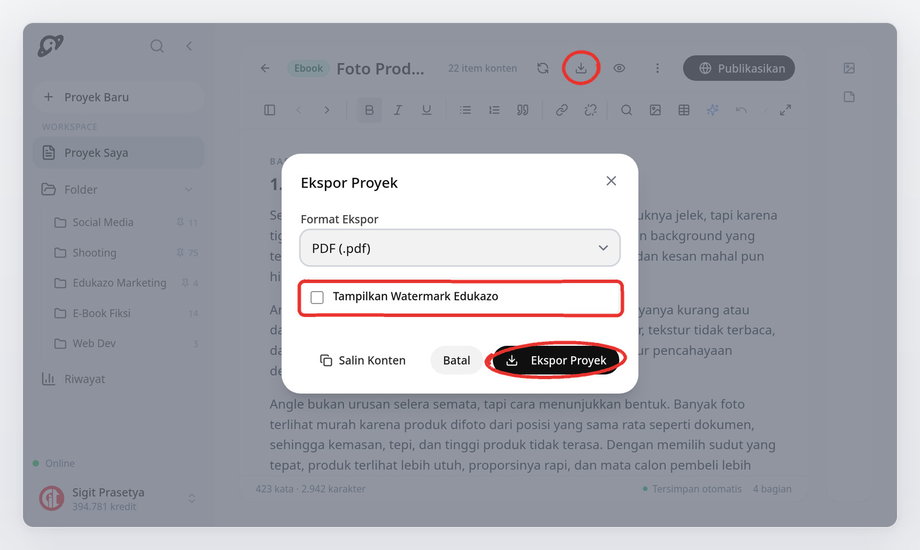
Centang Tampilkan Watermark Edukazo bila watermark ingin ditampilkan.
Klik Ekspor Proyek. Salin Konten menyalin isi tanpa membuat file.
File Word lama bermasalah
File Word E-Book yang diunduh sebelum 5 Oktober 2026 bisa dianggap rusak. Unduh ulang file tersebut.
Backup dengan JSON
JSON menyimpan struktur, metadata, modul, pelajaran, tab konten, media, catatan, dan urutan.
Cara import JSON
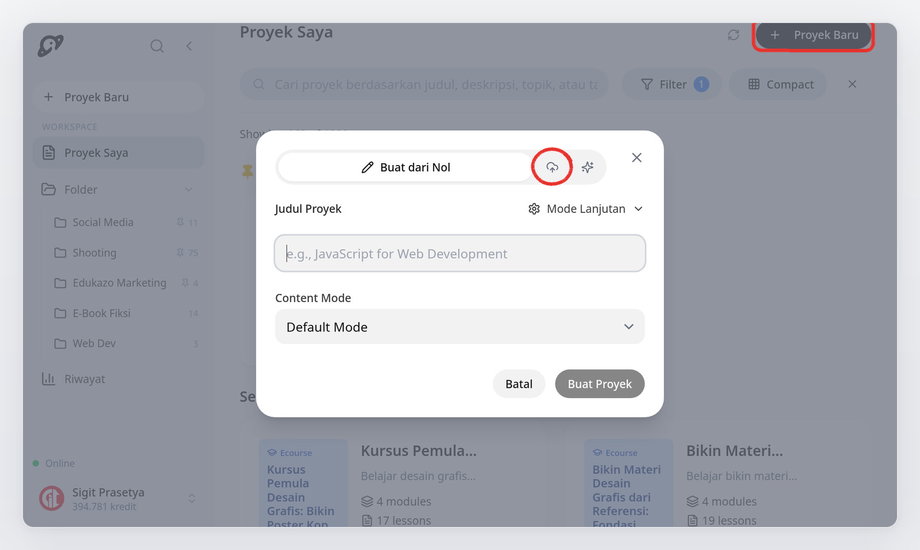
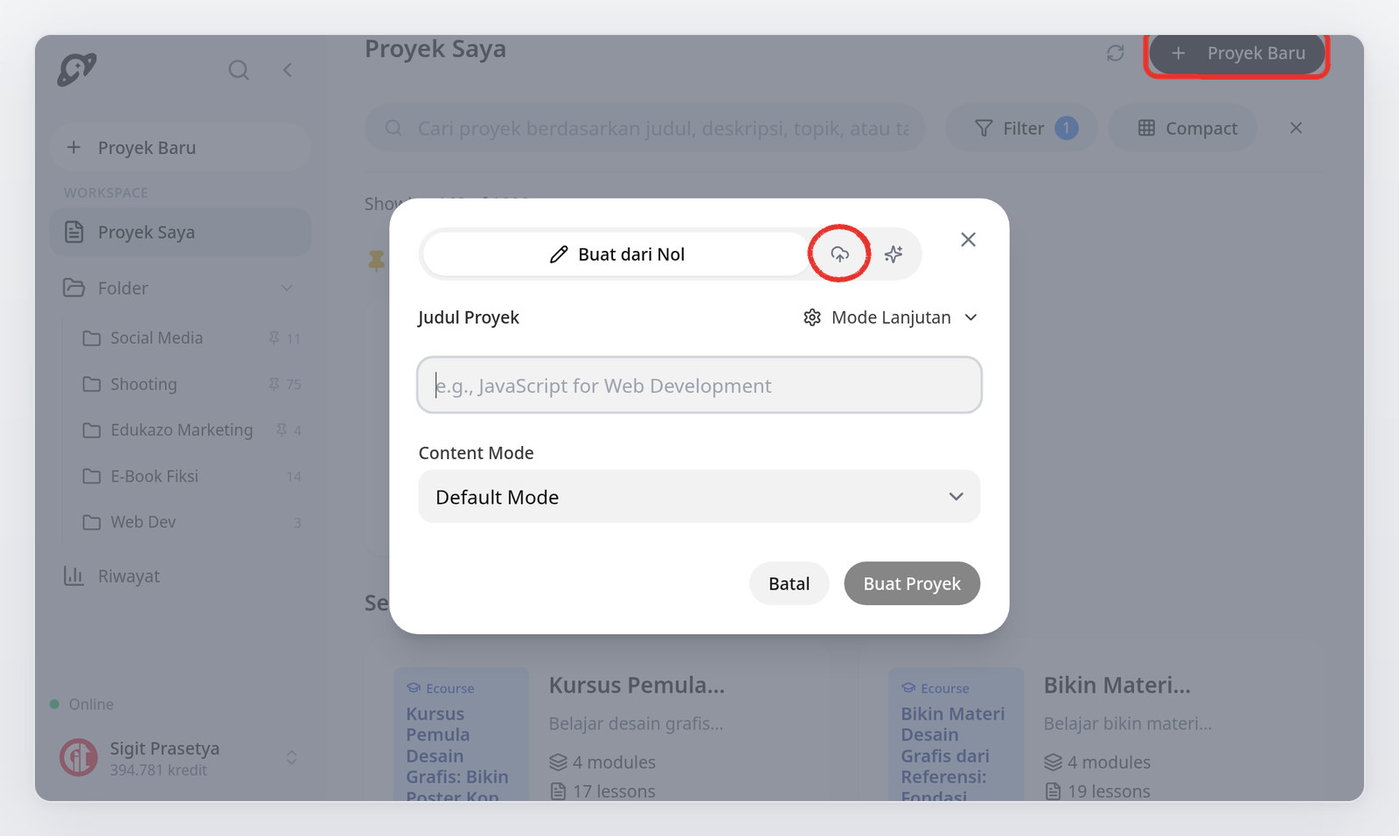
Klik Proyek Baru, lalu pilih ikon unggah di samping Buat dari Nol. Layar Impor Proyek terbuka.
Seret file .json hasil export Edukazo ke area unggah, atau klik Pilih File JSON.
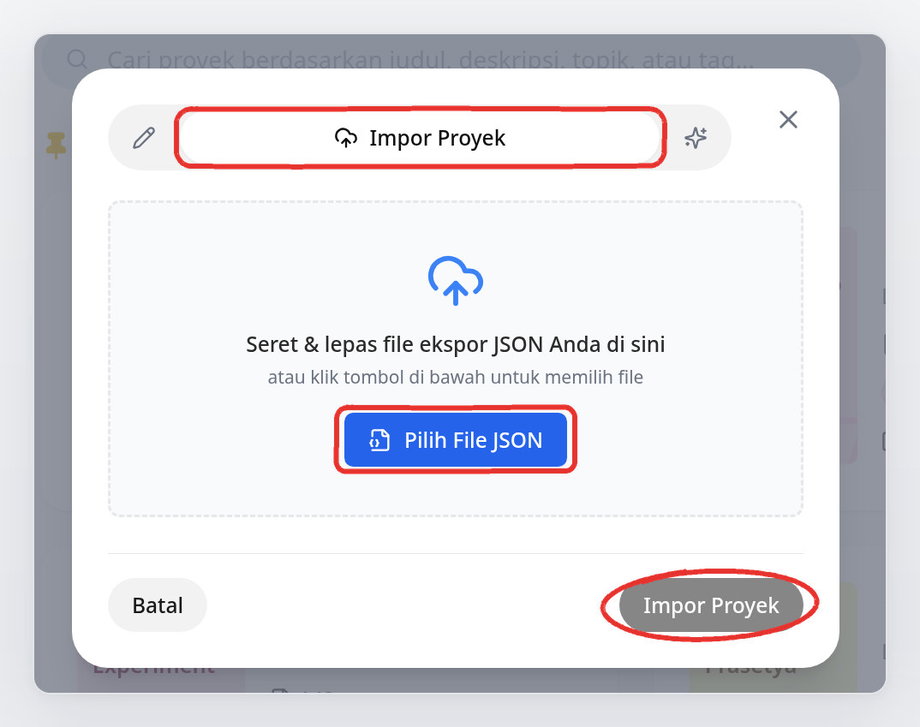
Klik Impor Proyek.
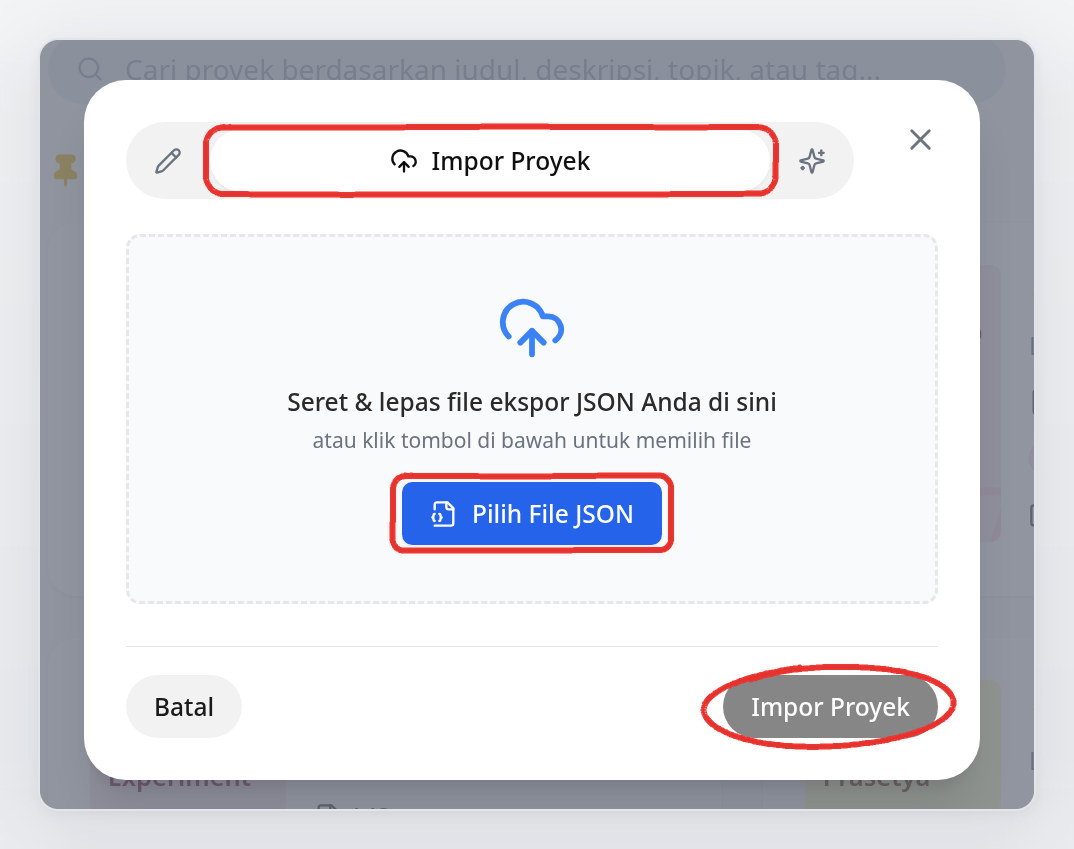
File yang bukan JSON Edukazo valid akan ditolak.
Langkah selanjutnya
Duplikat & ganti teks massal: salin project
Publish project: terbitkan project
Belum ketemu jawabannya? Kirim email ke hi@edukazo.com atau chat lewat WhatsApp.